
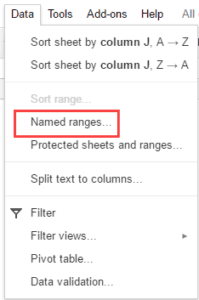
A Quick Guide to Google Sheets Named Ranges (5 Examples)
Google Sheets named ranges can be used to define a cell or a range of cells and give it a name. Now, instead of using the cell references, you can use
Google Sheets named ranges can be used to define a cell or a range of cells and give it a name. Now, instead of using the cell references, you can use
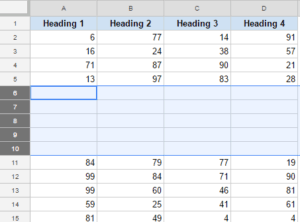
Whether you’re completely new to spreadsheets or coming from a different program, you’ve probably wondered how to insert multiple rows in Google Sheets. Luckily, doing so is simple. There are
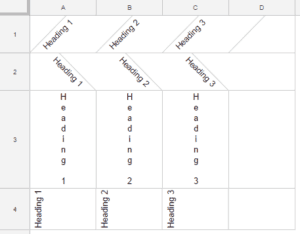
Google Sheets has some great data formatting tools. One such formatting feature is the ability to rotate text within a cell in Google Sheets. Something as shown below: This article will

In this tutorial, you will learn how to highlight cells using conditional formatting based on another cell in Google Sheets. This can be done using the custom function option in conditional formatting.

Heat maps make it easy to spot patterns in your data at a glance. This guide covers how to build four types of heat maps in Google Sheets using conditional formatting, including gradient scales, single-color thresholds, geo charts, and calendar maps.

Prefer watching a video tutorial? View ours here: If you work with Google Sheets, there may be times when you have to convert Excel files to Google Sheets. So can you